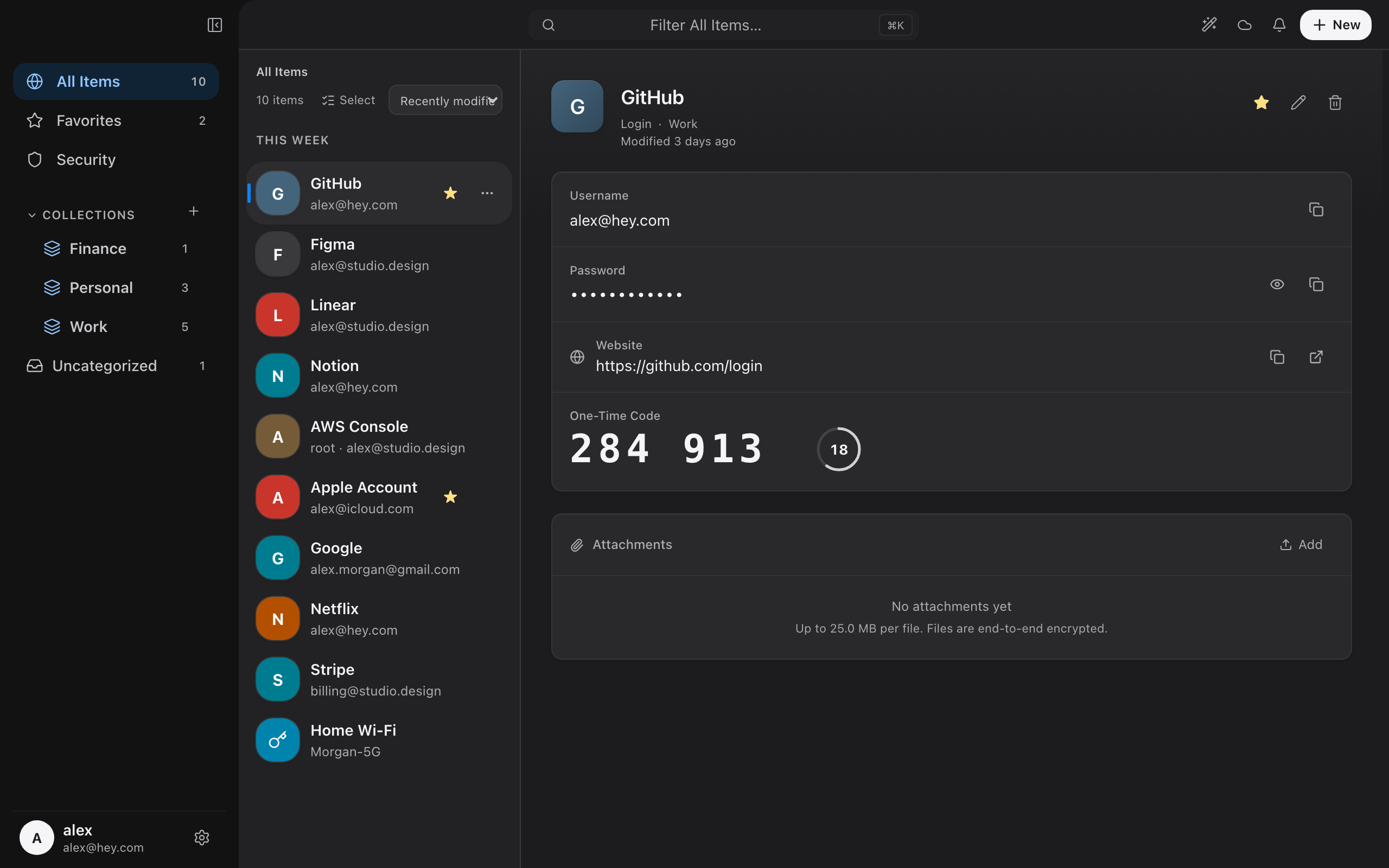
Your passwords,
yours alone.
UniPass is a password manager that keeps your vault encrypted on your own device. One-click autofill in the browser, end-to-end encrypted sync when you want it — and a server that can never read your data.
Free during beta · macOS public download not open yet
Everything a password manager should be
Strong by default, private by design, and quick to use every day.
One-click autofill
The browser extension detects login, password, and one-time-code (TOTP) fields and fills them for you — no copy-paste.
Zero-knowledge encryption
Your vault is encrypted with AES-256-GCM on your device. Keys are derived from your master password and never leave it.
End-to-end encrypted sync
Optional, off by default. Only opaque ciphertext is uploaded — our server holds no keys and cannot decrypt anything.
Strong password generator
Create high-entropy passwords with adjustable length and character sets, built on a cryptographically secure RNG.
Built-in 2FA (TOTP)
Store time-based one-time-code secrets next to your logins and autofill the current code in one step.
No tracking, no ads
Zero telemetry — no analytics SDKs, no crash reporting, no behavioral profiling. We don't sell data because we don't have it.
How it works
The desktop app holds your encrypted vault; the extension is its browser companion.
Install the desktop app
Install the UniPass desktop app for macOS, create your vault, and set a master password. Everything is encrypted locally from the start.
Add the browser extension
Install the Chrome extension. It talks to the desktop app over your computer's built-in Native Messaging — never over the network.
Unlock and autofill
Unlock the app once, then fill logins across the web with a click. Passwords are decrypted on your device, on demand.
Security you can reason about
We minimize what we can see, because data you can't see can't leak.
Take back control of your passwords
Local-first. Zero-knowledge. Yours.